
When the employee finishes their portion and submits it, you will get a system generated email advising you. When you log onto the website, your administrative dashboard will also display if you have new hires pending.
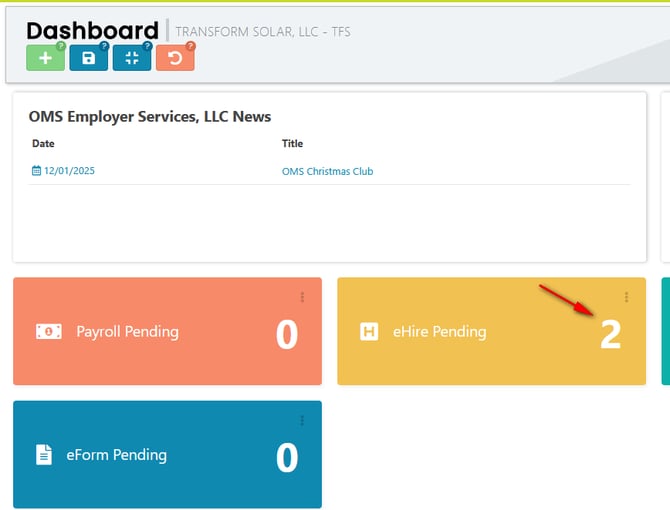
Go to the main menu and click EMPLOYEE then select EMPLOYEE ONBOARDING from the dropdown. If the individual has completed the onboarding requirements, you will see the date in the column “ehire finish date” and you will see the thumbs up icon bolded. If you hover over that thumbs up, it states it is the review and approve action.

Clicking on the icon will open the onboarding record for that individual. This will be the I-9 verification page. You will use the drop-down menu to choose the corresponding list for document validation. *There is an option to upload the forms of identification. If you need instructions, there is a link on the form (highlighted in yellow) in the upper right corner of the form.
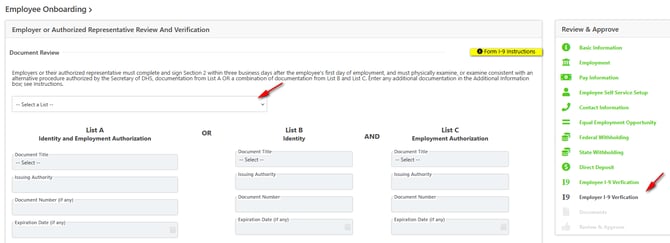
If you have additional documents, you will be able to review those before approving the new hire. Once approved, the employee profile will be created and immediately accessible under the employee list.