Log in to myhrgeek.com and from your admin dashboard, go to the main menu on the left and select Employee, then Employee List from the dropdown. From the list, select the employee you'd like to edit the pay rate.
Click Edit in the bottom right corner to open fields to make changes to employee information.
Update the employee pay rate under the Pay section, then click Save.
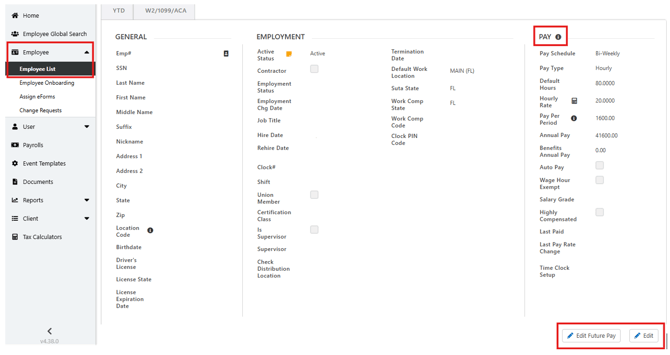
If you would like to submit a pay change with an effective date in the future, then click Edit Future Pay option.
Change the pay rate under the Pay section, then click Save.
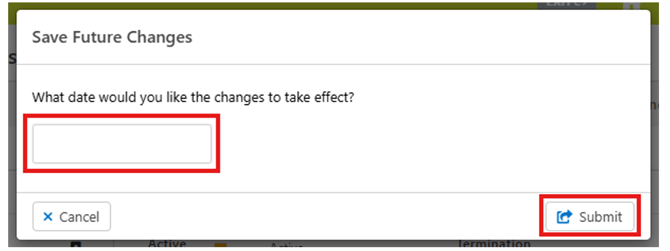
A notification will pop up requesting the effective date of the change. Enter the effective date and then click Submit.